

Return to Q&A Database
Arcade tip
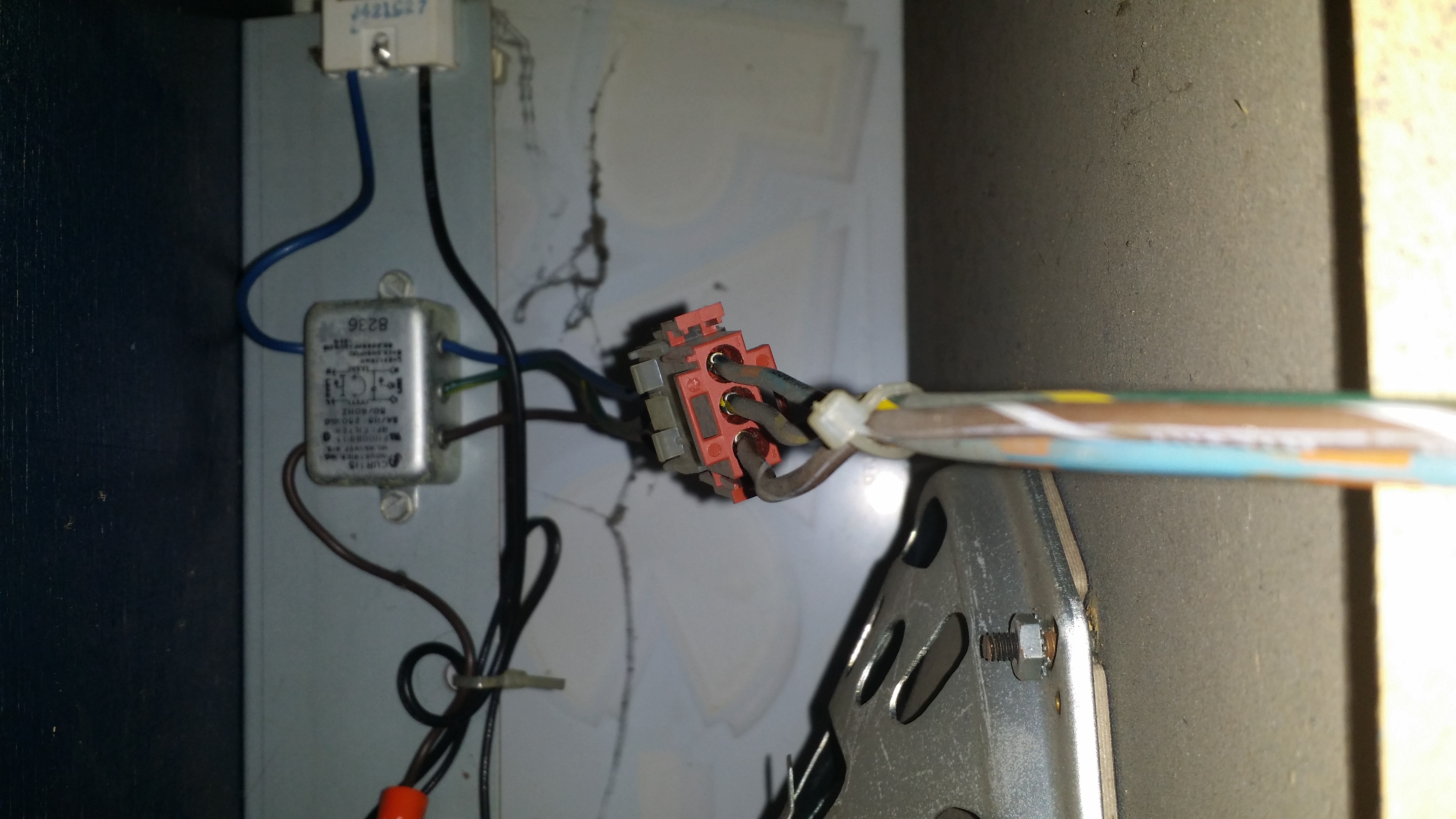
Question from Larry: Good evening, I installed a 60-in-1 kit and saw on one of your videos that I can connect the power supply to the wires that feed the game light. I’ve attached a photo of the wires going to the light. Am I to assume that the 3 wires running to the light are a positive, negative and ground wires? If so, can you tell from the photo which color wire corresponds with its respective charge? Also, I’m using a computer monitor as well so does this need to run off a power strip or can it tap into a pre-existing power source as well? Thank you, Larry
1 answer

Response from Jonathan: Larry,
Yes, the power wires that run to your marquee light should be AC Line (or Hot), AC Neutral and Ground. The best way to tell which wire is which is to use the continuity setting on your multimeter. We talk about this in our post on Checking Fuses With A Multimeter. Basically take the cabinet’s power plug and place one probe of your multimeter on one of the plug’s prongs and touch the other probe to the pins of the Molex connector you have in your picture until you get a beep. This will let you know what wires correspond to what prongs on the power plug (see this image to tell which prong is which: http://www.hscomputers.org/A_Plus/Labs/Ch10_Labs/grounded-ac-plug-diagram.gif).
Yes, you can also use these wires to power your computer monitor as well. If you need to power more that one item in your cabinet with a plug, you might consider putting a electrical box with a plug inside your cabinet instead. Here are some instructions on making an extension cord with an electrical box and the instructions would be pretty much the same: http://home-building.wonderhowto.com/how-to/hate-ugly-looking-power-strips-make-sleek-diy-power-outlet-box-for-your-desktop-0141840/
Hope that helps. Thank you for your question and good luck with your repair.
This question has been closed
