

Return to Q&A Database
Rolling Thunder monitor issue
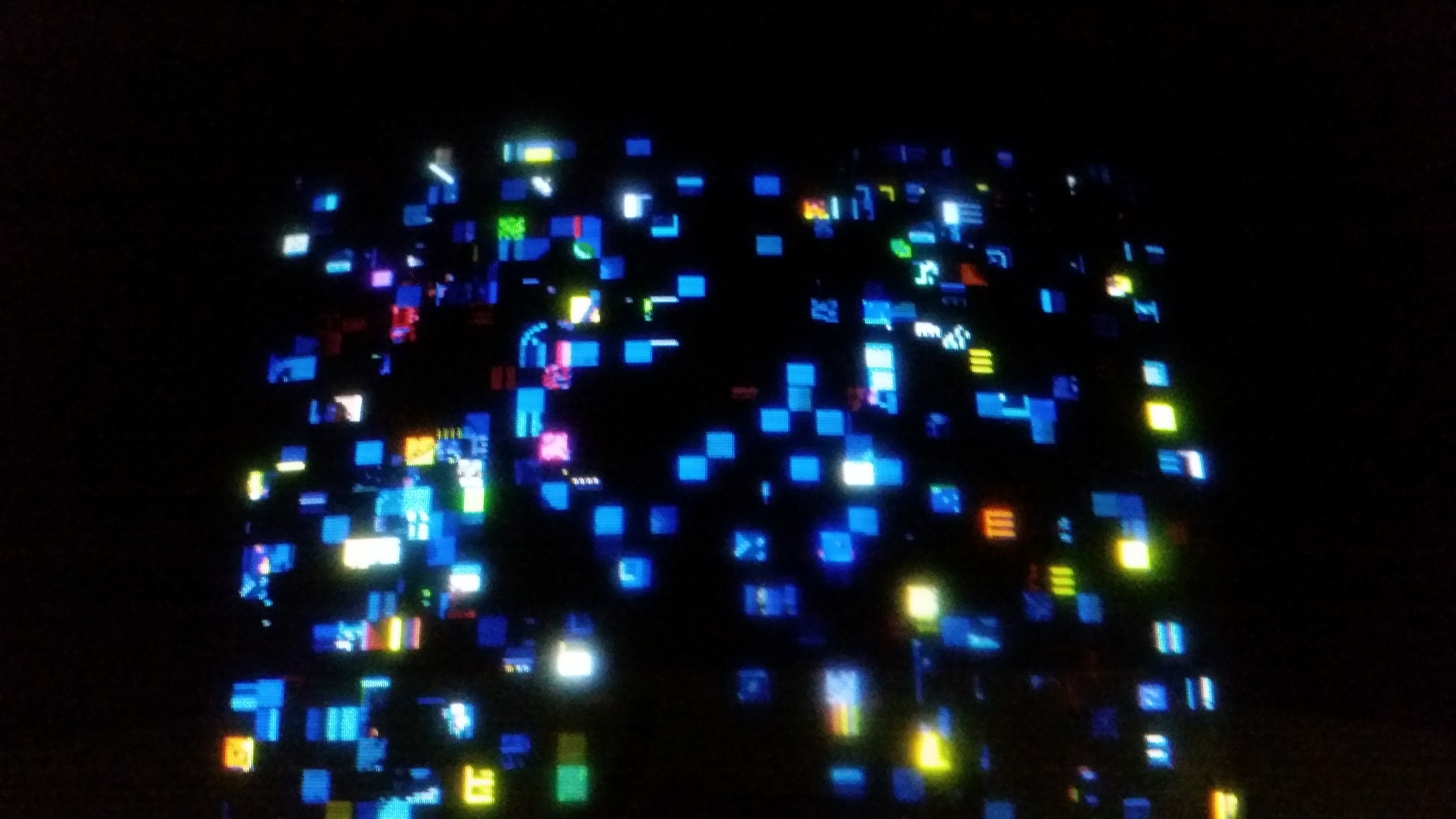
Question from Larry: Hi folks, I just purchased my first pinball machine and the people I bought it from threw in a non-working Rolling Thunder by Atari. When I powered up the game there was no sound and the picture on the monitor was badly pixelated.
Even though I worked on TV’s a little back in the 70’s when I took high school electronics, I’ve had very little experience with CRT’s, other than small monitors used in our cockpits (American Airlines). I want to fix this machine but I don’t know where to start. I’ve been watching your video’s and that has helped greatly, but I was wondering if you could have a look at a picture I’m including of what the monitor is reproducing and tell me if you’ve ever seen this before.
Should I start with a complete cap kit? Do you guys sell cap kits, or can you recommend someone to contact? BTW – this game has a Wells-Gardner K7000.
Thank you very much!
Larry from Charlotte, N.C.
1 answer

Response from Jonathan: Larry,
Based on your picture, this looks more like a board issue than a monitor issue. With that said (and to answer your questions), you can get a cap kit for your monitor from most of the retailers listed under the Arcade Parts Suppliers & Distributors heading on our resources page. While a cap kit is a good idea on more monitors this age, we don’t think it’s going to solve the pixelation issue with your game.
To address this issue, we recommend starting off by making sure your power supply is putting out the correct voltage to the board. Try checking the voltage at the power supply first to see if the voltage is correct. You can also check the voltage at the harness by turning off the game, unplugging your board from the cabinet, turning the game back on and using your multimeter prongs on the correct voltage pins. According to the manual, Rolling Thunder is a JAMMA board so you can use the standard JAMMA pinouts in order to determine the voltage pins. Make sure you adjust your power supply if your voltage is too high or too low. This should ensure that you are getting the correct voltage to the board.
If you continue to have problems after checking/adjusting the voltage on your power supply, you might check out our post on Inspecting An Arcade Board for some helpful tips on troubleshooting board issues. You could also try using a logic probe to check the output of some of the chips on the board. There’s a great beginners guide to using a logic probe on Lawnmowerman’s Pac Man Page in case you are unfamiliar with it.
Other than that, you will probably need some additional equipment (such as an oscilloscope) and a lot of time to get the board working properly. At this point, you would probably be better off contacting one of the people under the Board (PCB) Repair & Component Sales heading on our resources page as these people specialize in board repair.
Hope that helps. Thank you for your question and good luck with your repair.
This question has been closed
