

Return to Q&A Database
Call of the Wild Arcade Game Monitor issue
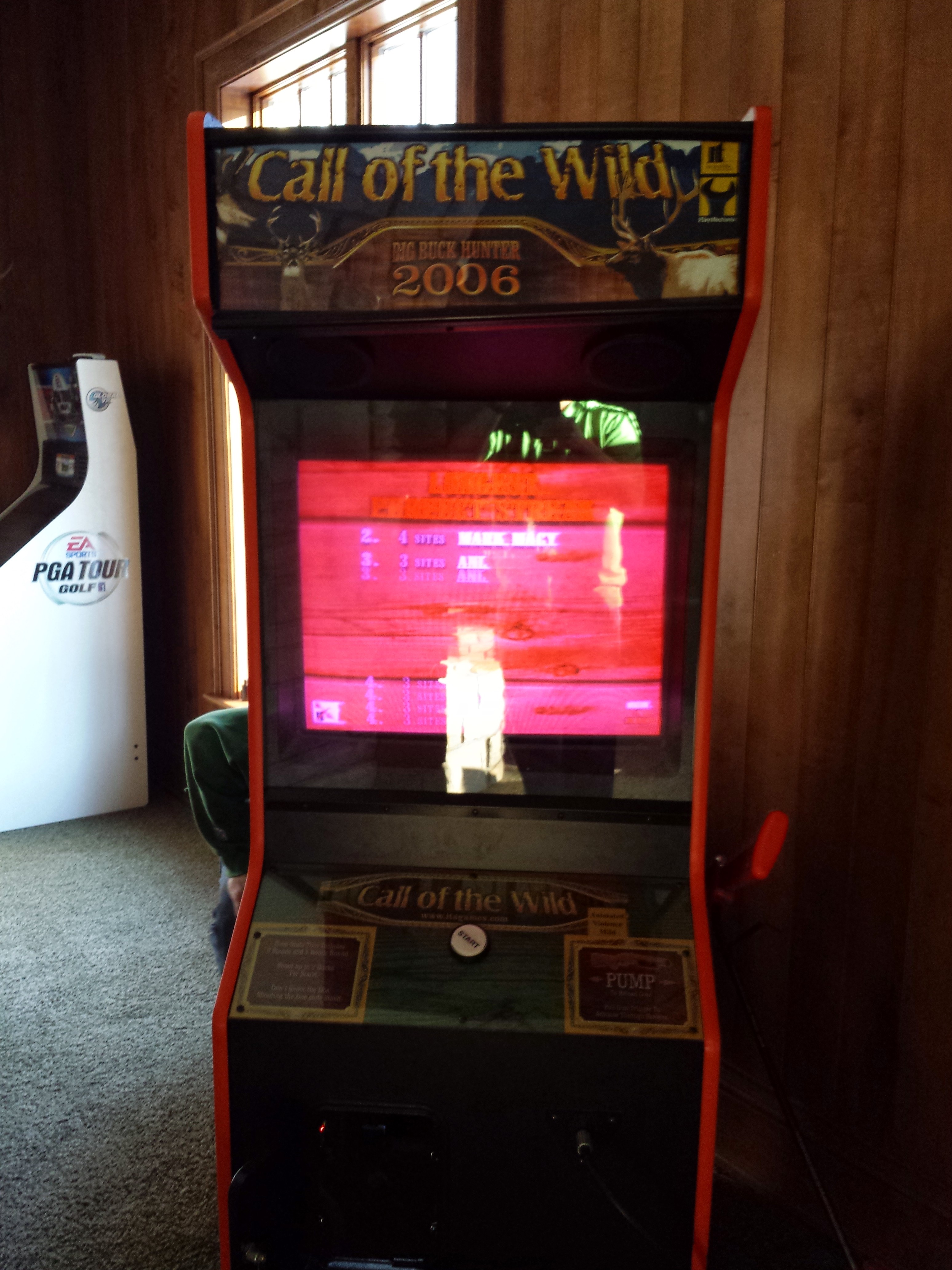
Question from Anthony: Guys, I have looked through your information on your website relating to monitor issues and fixes but I’m striking out. The monitor on this game is very red and washed out with colors. I am unable to find how to adjust the colors or figure out what is causing the issue. It doesn’t seem to have any RGB adjustment pots anywhere or I am unable to find them. Can you help or point me in the right direction? I’m fairly proficient with my soldering skills so I’m not afraid of that or using a meter, so please get me any insight you can so I can get this fixed. I believe it’s a Wells Gardner CRT. Thanks! Attached is a picture of what the monitor looks like. I know it’s not a great picture, but it should give you an idea of what’s going on.
1 answer

Response from Jonathan: Anthony,
We have selected your question as the Question Of The Week for this week. Please listen to the podcast at the link below to hear our thoughts on your issue. Of course, feel free to email us back if you have any questions about what was discussed.
Question Of The Week – Episode 63:
http://www.spreaker.com/user/arcaderepairtips/question-of-the-week-episode-63
I did want to add something that we forgot to mention in the podcast. If you have a digital arcade monitor in your cabinet, the color adjustments maybe hidden in an on screen menu (like a computer monitor) that is controlled by a break out board. In this case, you might try following any wires coming off of your monitor chassis to see if they lead you to a board such as this.
Hope that helps. Thank you for your question and good luck with your repair.
This question has been closed
