

Return to Q&A Database
Hello from Greece
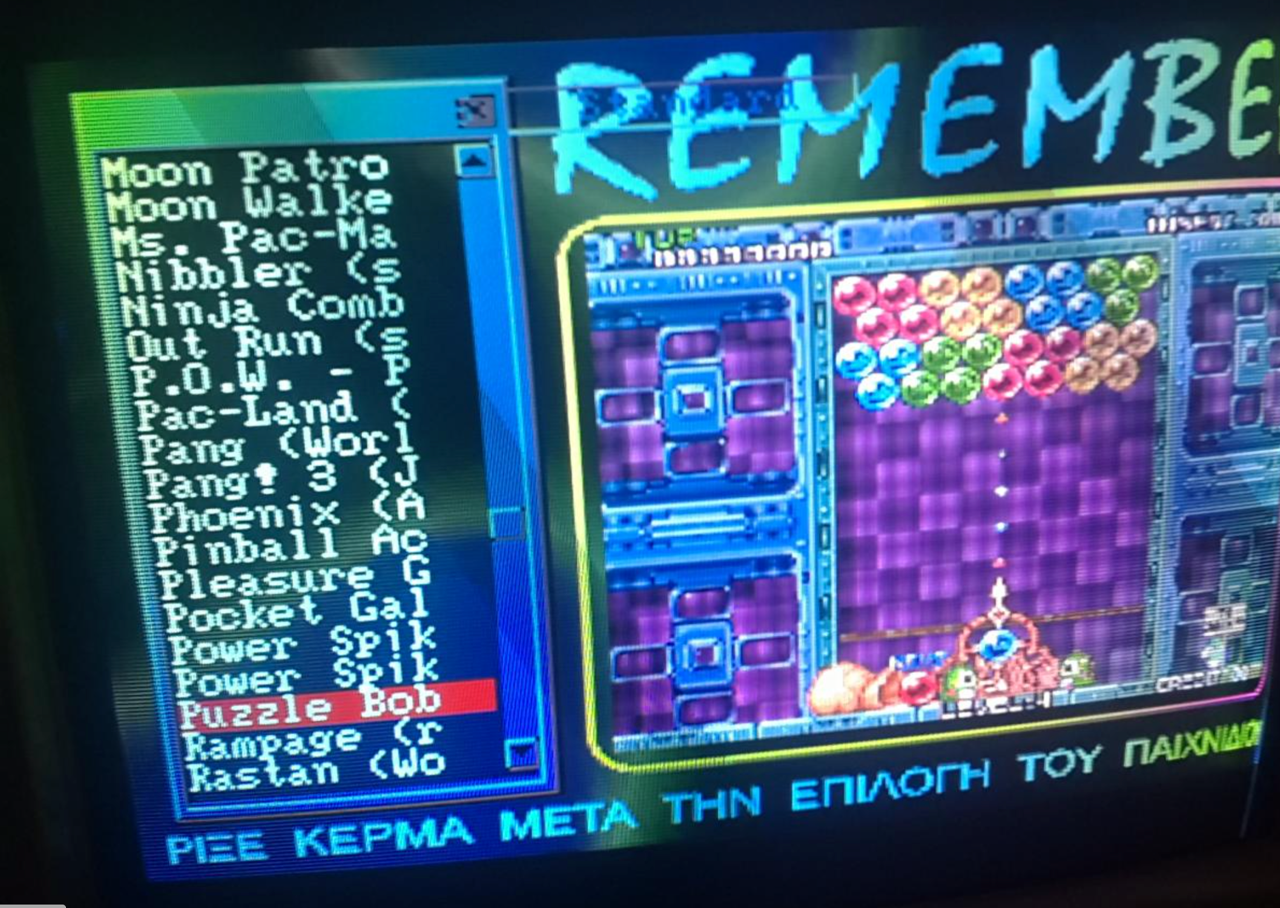
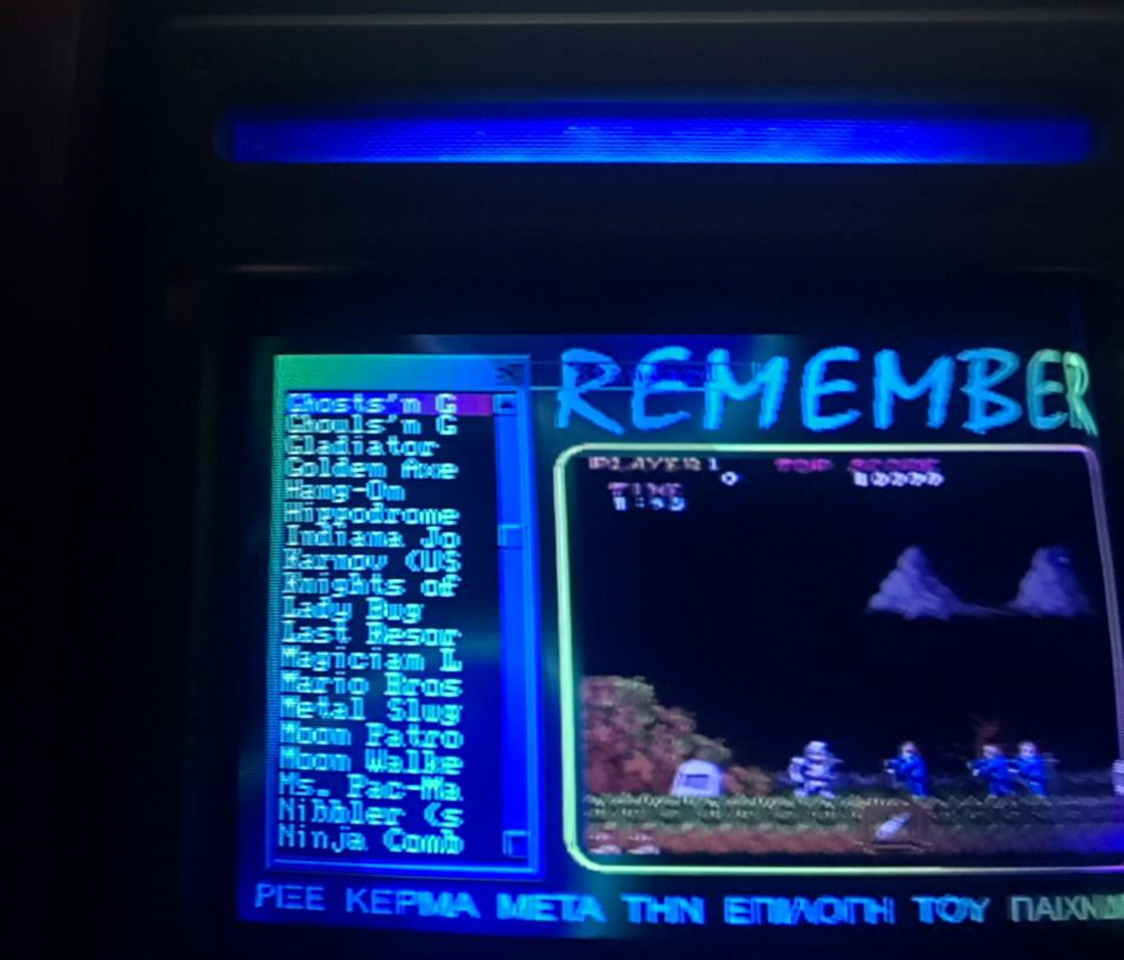
Question from Tasos: Hello and thanks for the knowledge you provide. Can you please try and help me? I just bought an Ultra G cabinet with a pc inside it that runs (as far as I know) ArcadeOS. The problem I’m having is with the display. As you can see in the following files, it needs to be fixed. I did try to play with the knobs on the back of the display with no luck. The display is squeezed (or wrapped around) on the right side of the picture.
Also, a second question, do I need to calibrate the display for every game?
Thanks a lot in advance! Looking forward for your reply.
1 answer

Tasos,
It looks like you are having some color issues along with some screen folding on the right side (what you call squeeze or wrap around). We definitely recommend starting off with a cap kit on this particular issue. Cap kits usually help a lot with screen folding issues such as this. Please see our post on Installing A Cap Kit for more information on this process. In this post, there is also a link to the What’s My Monitor page on Bob Roberts website that will help you identify which monitor you have so you can order the correct cap kit for it. Obviously installing a cap kit does require some soldering skills so if you’re not familiar with this you might order our Volume One DVD as it has a soldering tutorial video that you might find helpful. You can also purchase this video on our YouTube page if you would rather go that route. We also recommend checking out our post on Removing And Installing A Monitor Chassis as you will need to take the chassis out of the game to work on it. If you continue to have the color issues after the cap kit installation, you might check out our post on Using A Degaussing Coil as it talks about how to troubleshoot these discolored areas.
You should not need to recalibrate the display for every game but it depends on how the computer is set up. We like to set up MAME to use a fixed resolution regardless of the game. If it’s set up to use the native resolution for every game then you may have to recalibrate as different resolutions might require different adjustment settings on the monitor. You should be able to modify the MAME settings (in the MAME.ini, look for the resolution option) to use a fixed resolution but you will more than likely need to locate the MAME directory through DOS in order to modify it. It’s not hard but you will need to be familiar with DOS in order to accomplish this. Once you change this setting, it should keep you from having to adjust the settings on your monitor for every game.
Hope that helps. Thank you for your question and good luck with your repair.
This question has been closed
