

Return to Q&A Database
K7101 Vertical Collapse
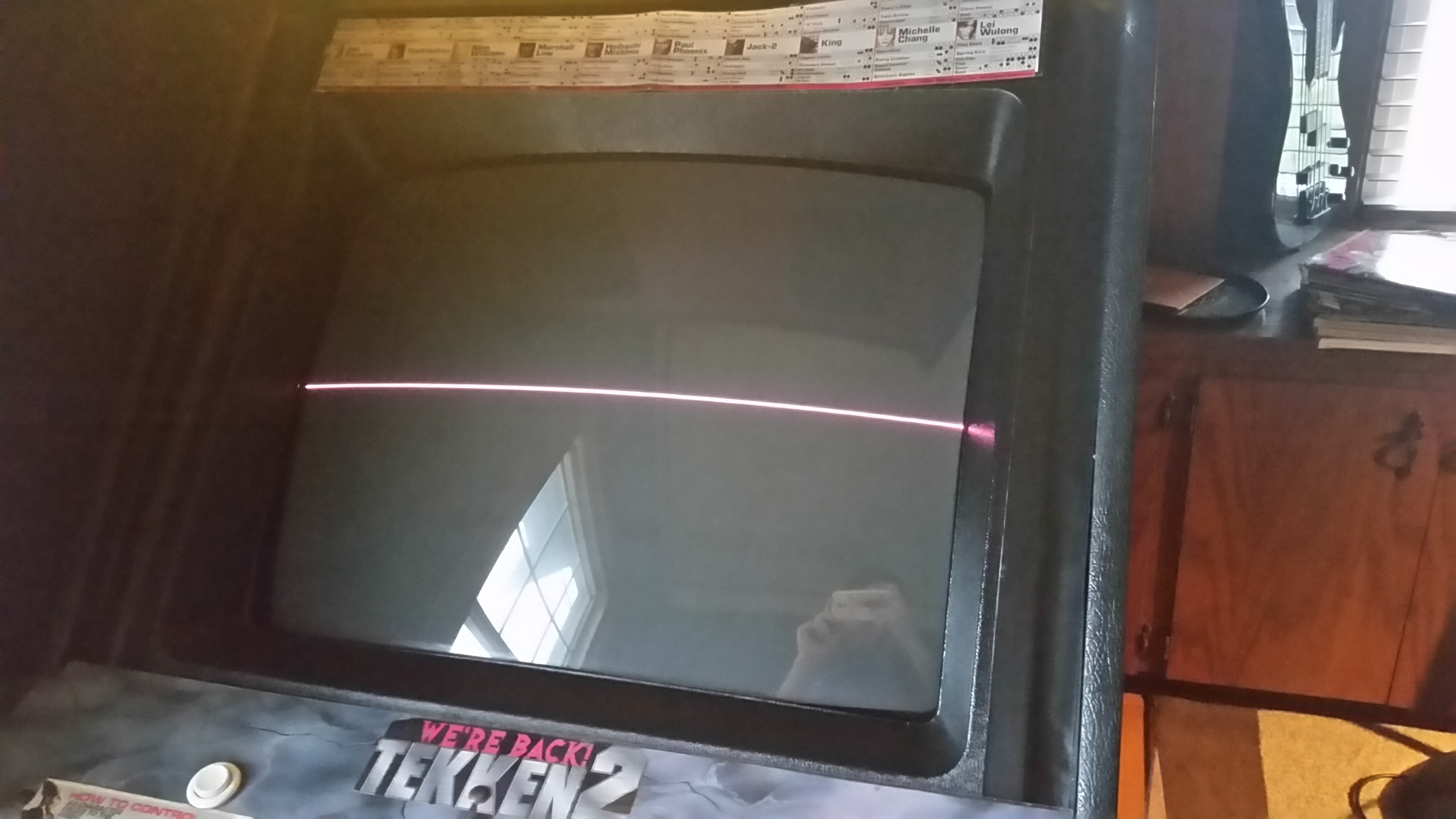
Question from Brett: Hey guys, I’m having trouble with vertical collapse on my 25 inch Wells Gardner K7101 monitor. I’ve already done a lot of work on it to no avail. First, the monitor was working fine, but a little dim even when adjusted and having a little bit of waviness. I bought the appropriate cap kit and installed (position and polarity double checked) and when powered o,n the famous burnt electronics smell came out and no picture at all anymore. Second, I figured I’d try the flyback which was installed without issue. This at least produced something on the monitor with the flyback turned all the way up (bright thin pink line). I haven’t gotten it to do anything since even after other replacements.
It currently looks like the image below. No adjustments do anything except being able to move the line up and down, turning the voltage(?) up on the flyback will make the line brighter and pinker, turning it down will change it to more greenish and quickly disappear. The other pot on the flyback (focus?) will make the line blurry or sharp. So far the following has been done to no effect: caps, flyback, D13, IC2, IC3, board reflowed and inspected, checked some of the large resistors and nothing seems out of order.
I’m losing my mind a little bit and would like to get back to playing Tekken 2!
Any ideas? Been scouring the internet and trying everything but no luck.
Thanks so much in advance!
Brett
1 answer

Response from Jonathan: Brett,
Looks like you are having a vertical deflection issue. Usually replacing IC2 and IC3 will solve this issue but the fact that you’ve already done that and it’s still like this means that there must be something leading up to these parts that’s having a problem. You might check resistors R80, R91, and R98 to see if they are open and replace/resolder as needed. Make sure you also check capacitors C48 and C50. Sometimes these caps don’t come in your cap kit depending on where you buy it from. Also, check for any solder bridges on any of the caps you installed. I know you said you checked the polarity but make sure that the solder points on the caps are not touching any other points on the chassis that they should not be attached to. Please let us know if you continue to have problems after checking these parts/areas and we’ll try to help you out further.
Hope that helps. Thank you for your question and good luck with your repair.
This question has been closed
