

Return to Q&A Database
Issues with my Neo Geo MVS Arcade Monitor
Question from Johnny: Hi Arcade Guys, I found you guys on the web and I really enjoy seeing all your YouTube videos and I recently subscribed your channel.
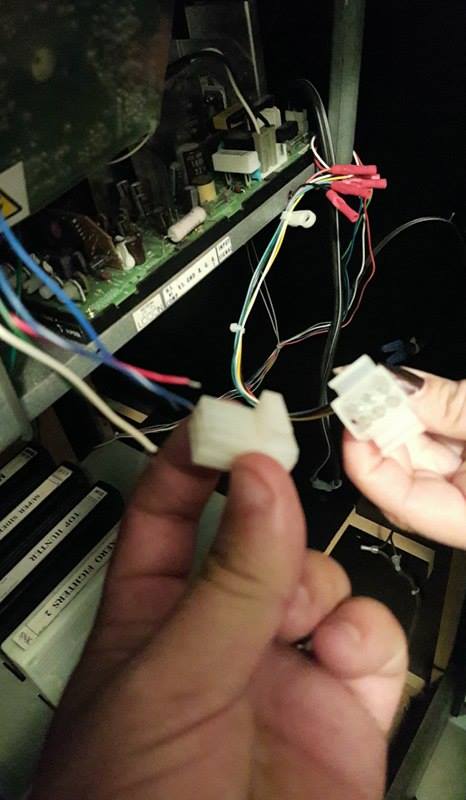
I’m hoping you can help me with some issues I am having with my arcade machine. I recently bought a Neo Geo 4 slot MVS machine on craigslist. It was working perfectly when I bought it, however, during transportation to my house on my truck (arcade laying on its back). When we went to unload it we accidently stripped the wires from the monitor to the arcade system (see attached photo). I went ahead and cut & spliced the wires together again but after connecting it. It’s been a hard time adjusting the horizontal and vertical on the screen. I used the little knobs to adjust the horizontal/vertical and even the color knobs but it still does not correct the horizontal (see link to YouTube video I made).
YouTube Link: https://youtu.be/UpFyihHG43I
My question is aside from making sure every wire is securely connected, do you think the monitor is shot? Should I replace it with a LCD monitor instead? Or worst case is it the gaming system that is broken?
Any help would be greatly appreciated. Thanks, Johnny
1 answer

Response from Jonathan: Johnny,
Actually it looks like your monitor is very close to a working state. It’s probably just having some hold/frequency/sync issues. First off, we definitely recommend making sure all of the wires are making a good connection and that they are going to the correct pins on the monitor chassis. If the connection is not solid it can cause image issues such as this. If all of the wires are making a solid connection but the issue remains then you might try adjusting some settings on your monitor chassis to see if makes a difference in your picture. It could be that some of the potentiometers (or pots) that control these settings also got knocked around while the cabinet was being moved and now need to be dialed back in. Check out our post on Adjusting An Arcade Monitor for more information on this process. Again, make sure you pay specific attention to adjustments that contain the words hold, frequency or sync as these may hold the key to getting your monitor working again. Please feel free to contact us again if the issue continues or if you have any questions about what we’ve discussed in this message.
Hope that helps. Thank you for your question and good luck with your repair.
This question has been closed
