

Return to Q&A Database
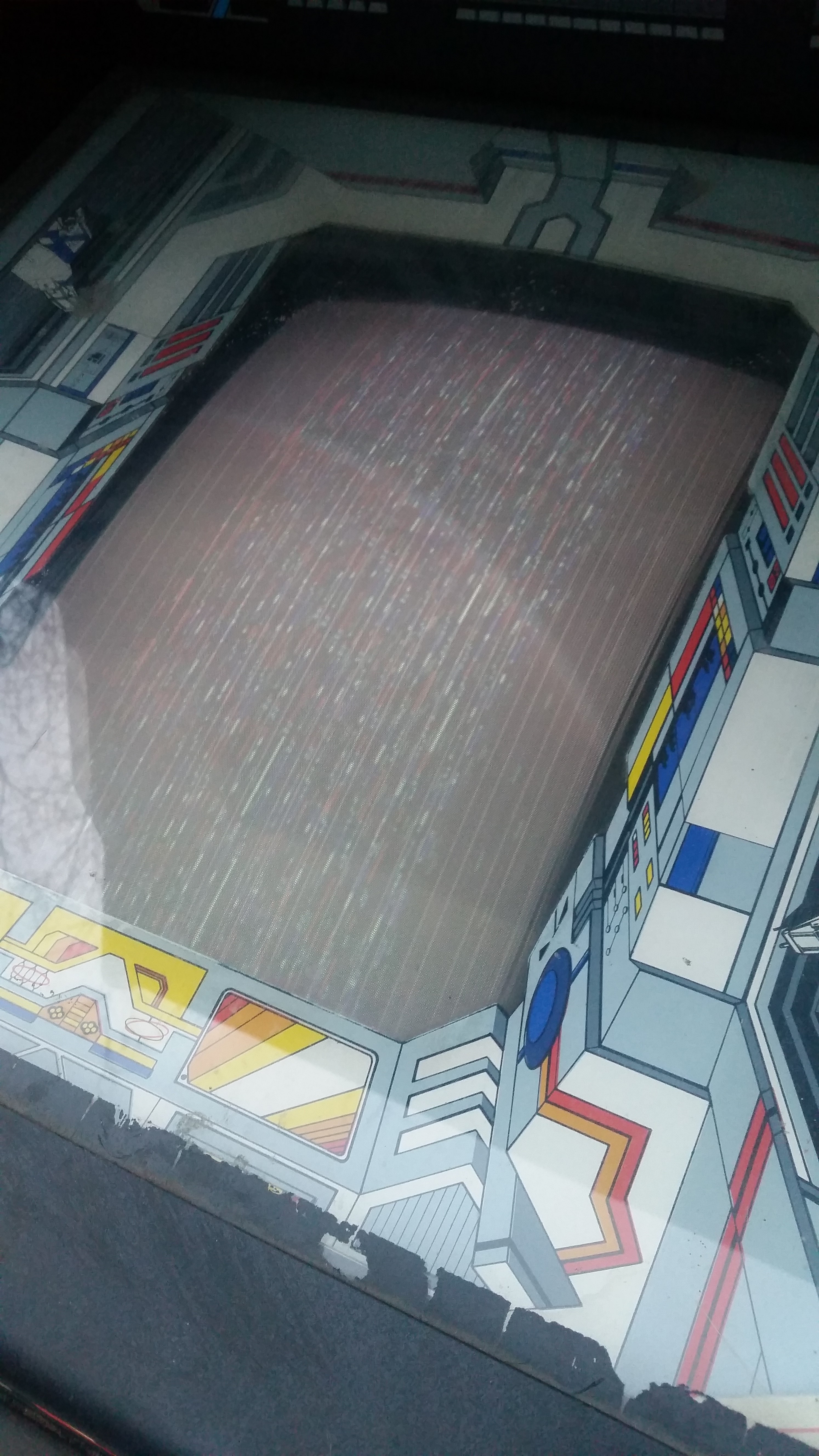
Xevious monitor issues
Question from Aidan: Hi, I just bought Xevious and when I plugged it in for the first time I could hear it working and playing. All the buttons even seemed to work, but on the screen all I saw was a bunch of vertical lines moving. I was just wondering if you had any idea or suggestions on how to repair this. Thank you, Aidan
1 answer

Response from Jonathan: Aidan,
Looks like some sort of monitor sync or voltage issue. Probably need to start off by checking the wiring that runs from your harness to your monitor chassis. It could be that the sync wire is broken or not making a good connection. If everything is connected properly, you might try adjusting the monitor to see if you can improve the picture. Check out our post on Adjusting An Arcade Monitor for more information. See if you can find adjustments for horizontal and vertical sync or hold. These adjustments should help you with your issue. You might also try the B+ voltage adjustment if the sync and hold adjustments don’t make a difference. If you need help locating any of these adjustments, please either send us a picture or let us know what brand/model of monitor chassis you have and we’ll try to help you out further. If you can’t adjust out this issue, it’s probably a problem with the monitor chassis itself.
Hope that helps. Thank you for your question and good luck with your repair.
This question has been closed
